
Progress: seeing how your child is doing
Progress shows how your child is doing in occo. You see a level for each of six skills, and every activity they have played. There is more detail underneath for a therapist, teacher or instructor who works with your child.
Why Progress is there
Every time your child plays, occo notes how it went: how long they played and, in the activities that measure it, how many answers were right and how much help they needed. Progress puts all of that in one place. You do not have to watch every minute to know how it is going.
What it gives you
- A quick check. Six skills, each with a level out of 5. A green number shows what went up.
- The full story. Every activity your child played, day by day, and what happened in each one.
- Something to share. The detail a therapist, teacher or instructor needs is one tap away.
How to open Progress
- Open the account menu. It is the round button with the letters of the name, in the top-right corner of the home screen.
- Choose Progress.
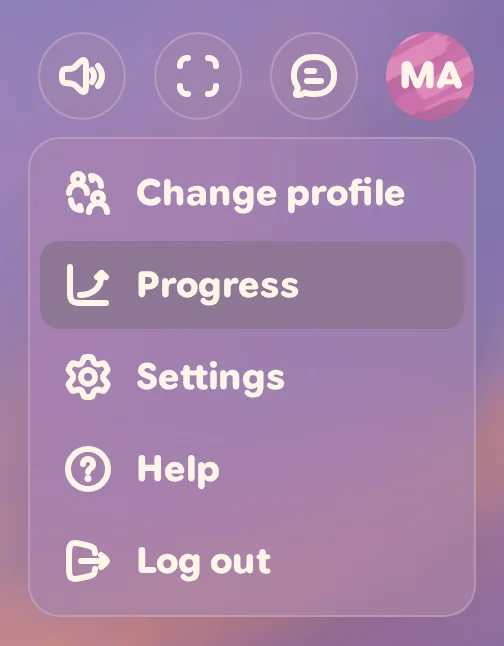
You can also find Progress in Settings, under Account. Progress opens on whoever is playing now.
Pick your child
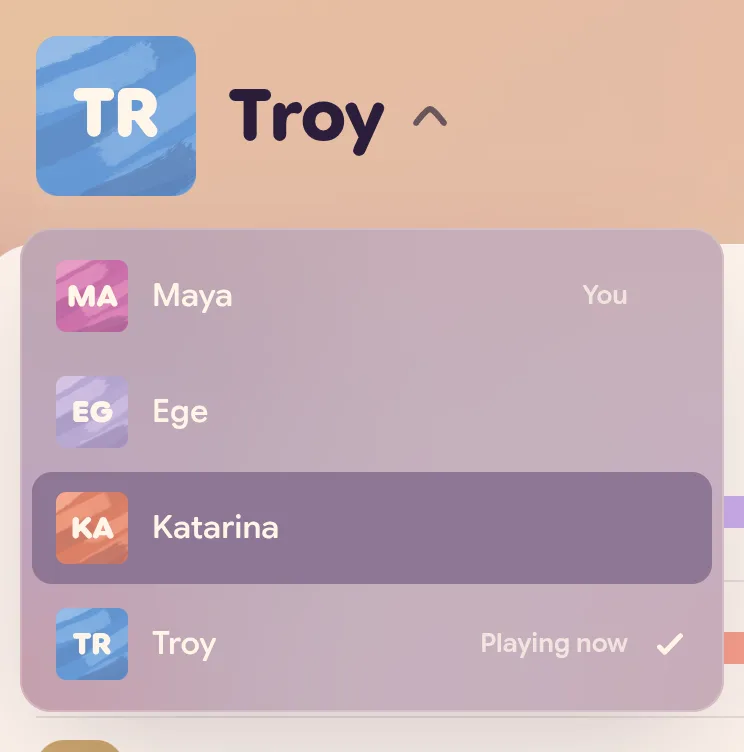
Tap the name at the top left. A list opens with you and every profile you manage: You marks your own, Playing now the one playing, and a tick the one you are looking at. Pick your child. Looking at another child here does not change who is playing.
Pick the dates
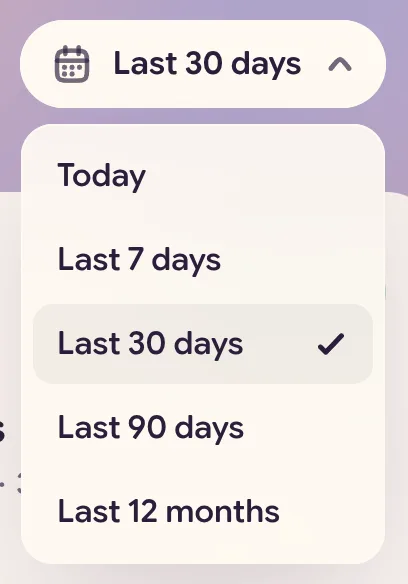
The white button at the top right says Last 30 days. Tap it to choose Today, Last 7 days, Last 30 days, Last 90 days or Last 12 months. The lists, the averages and the green numbers that show levels gained all follow the dates you pick. A skill’s level is always where it stands today.
Your browser’s Back button undoes the last thing you changed. The back arrow at the top left of the page takes you out of Progress.
What Progress shows
Progress has two tabs: Overview and Activity history.
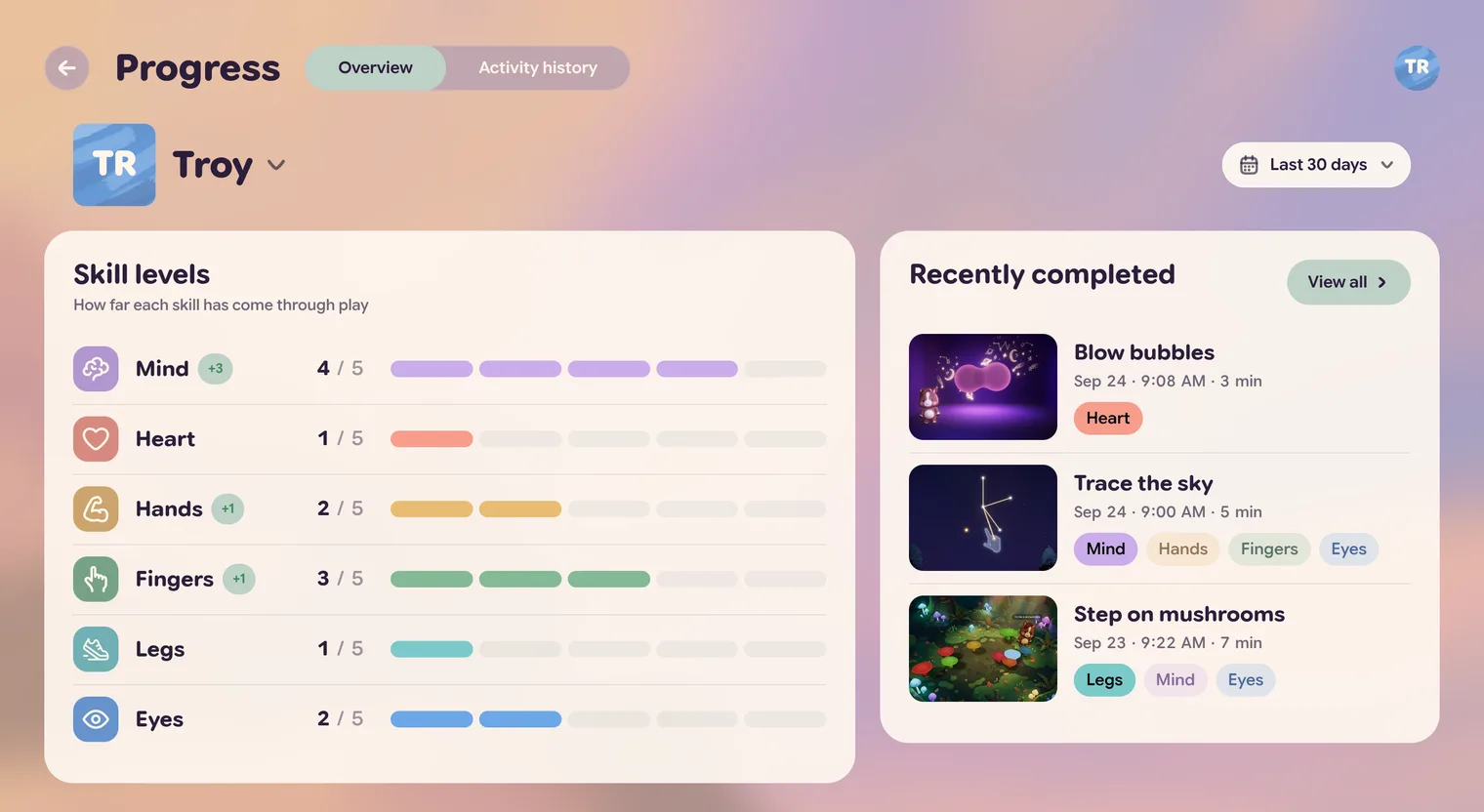
On a wide screen the two sit side by side. On a phone or a tablet held upright, Recently completed is under Skill levels.
Skill levels
Skill levels lists six skills. Each one is a part of your child:
- Mind: planning, remembering, staying with it.
- Heart: calm, waiting, taking turns.
- Hands: reaching and using both sides.
- Fingers: small, careful movements.
- Legs: staying steady, moving big.
- Eyes: seeing it and reacting fast.
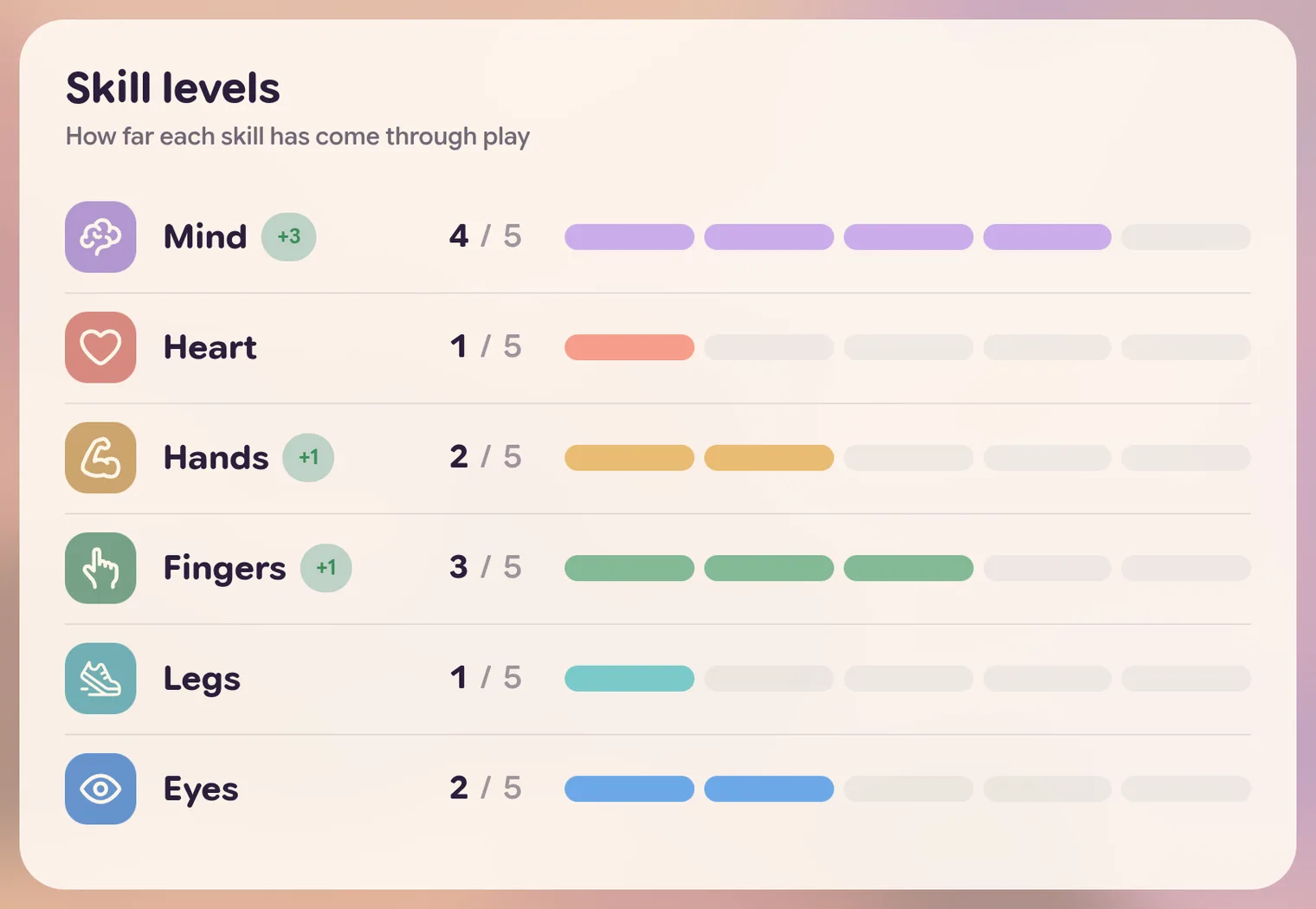
How to read a row:
- 4 / 5 is the level now. Every skill has five levels. 0 / 5 means the skill has not reached level 1 yet.
- The bar fills one piece for each level.
- A green +1 (or +2, +3) next to the name shows how many levels the skill went up in the dates you picked.
Levels move slowly on purpose. A level goes up after a few good rounds, on more than one day. Tap a skill to see what it takes. That is further down this page.
So far, the activities that count rounds toward a level are the ones that measure answers and help: Trace the sky and Repeat the tune. Everything else your child plays still shows in Activity history, with the day and how long they played.
Recently completed
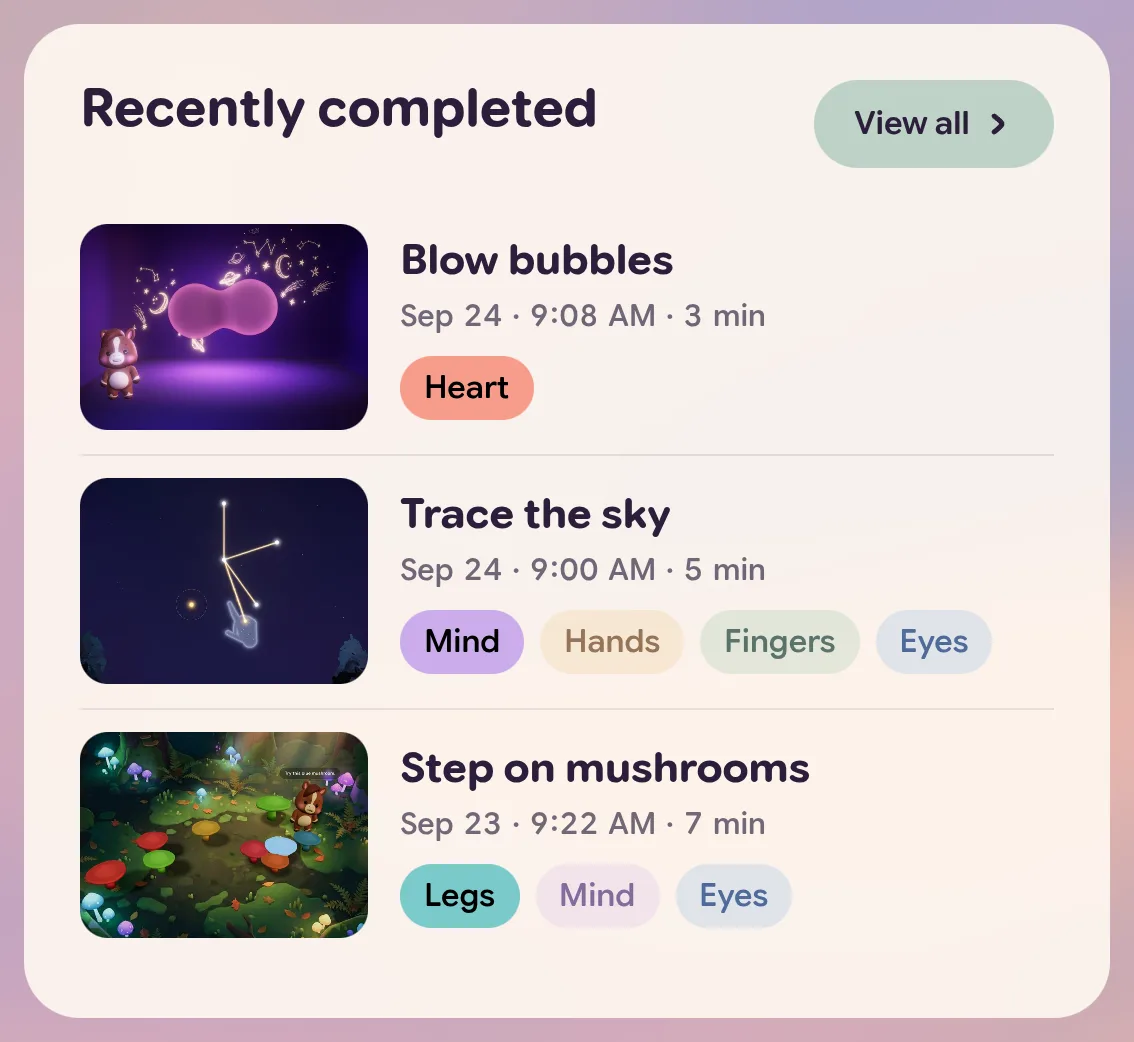
Recently completed shows the last three activities your child played in your dates, with the day, the time and how long they played.
- The coloured badges are the skills the activity works on. The filled badge is the main one.
- View all opens Activity history.
Activity history
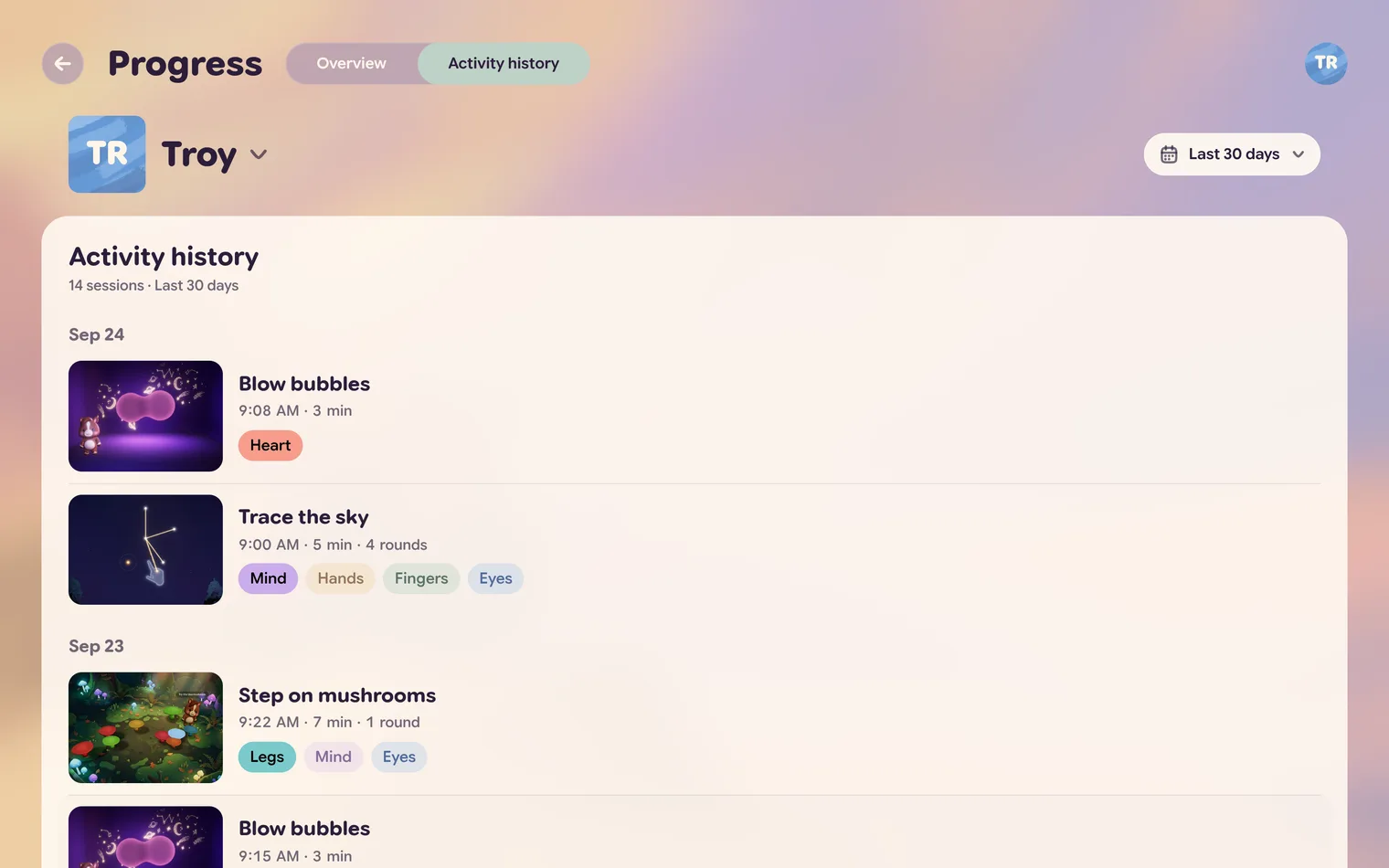
Every activity in your dates, newest first, grouped by day. When your child finished rounds, it also says how many. If there is a lot, press Show more at the bottom. A very short visit is left out: an activity shows up once your child finishes a round in it, or plays it for at least 10 seconds.
Open a session
Tap any activity in either tab. A card opens with what happened in that session. How much it says depends on the activity: one that measures nothing, like Blow bubbles, shows how long your child played.
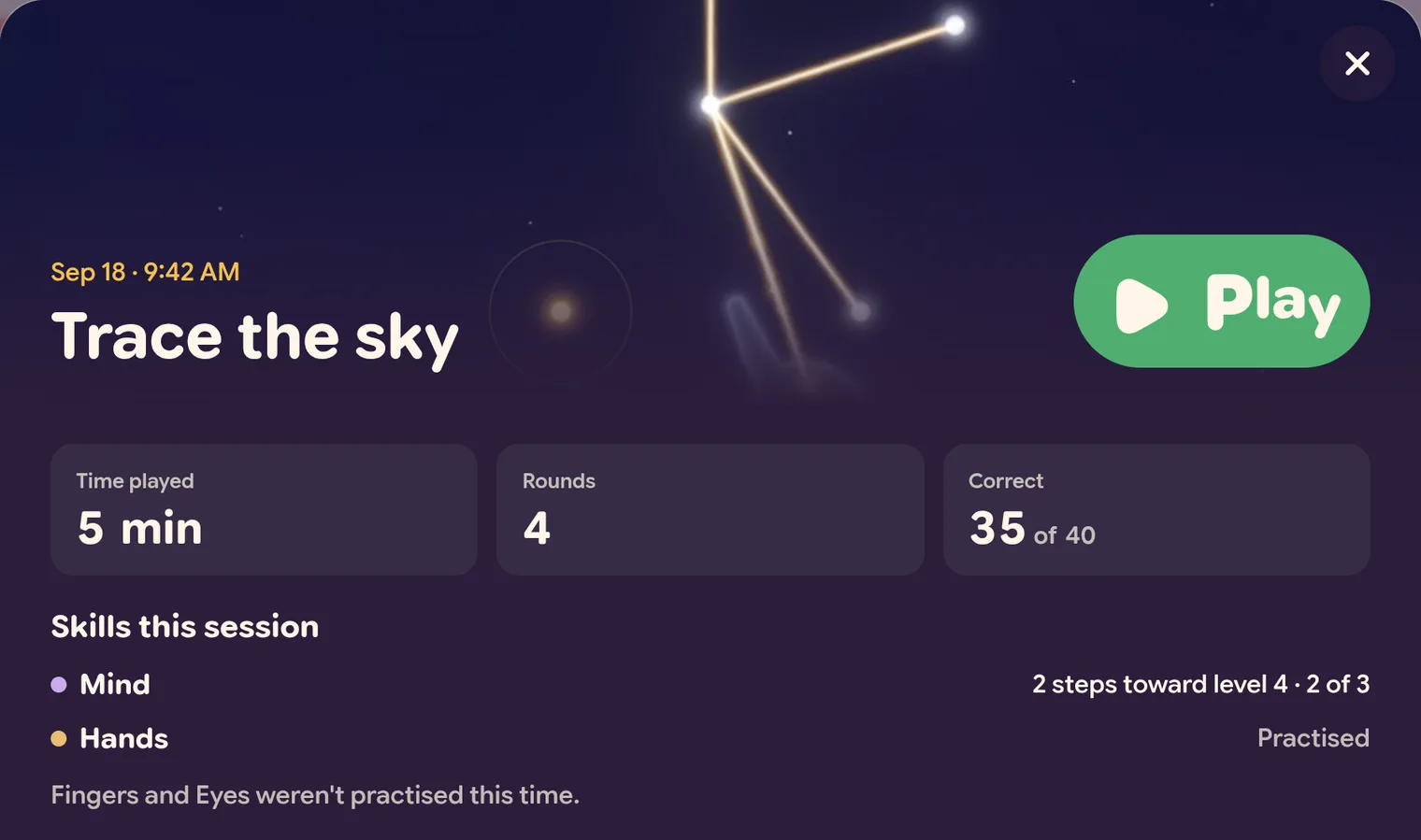
- Time played: how long your child played.
- Rounds: how many rounds they finished, when they finished any.
- Correct: how many answers were right, out of all the tries, in an activity that asks for answers.
Skills this session says what the session did for each skill, in the activities that count rounds toward a level:
- Up to level 2! The skill went up a level in this session.
- 2 steps toward level 4 · 2 of 3. Two rounds counted toward the next level. The skill now has 2 of the 3 good rounds it needs.
- Practised. The session worked on the skill, and no round counted toward a level this time.
- …weren’t practised this time. The session did not work on these skills.
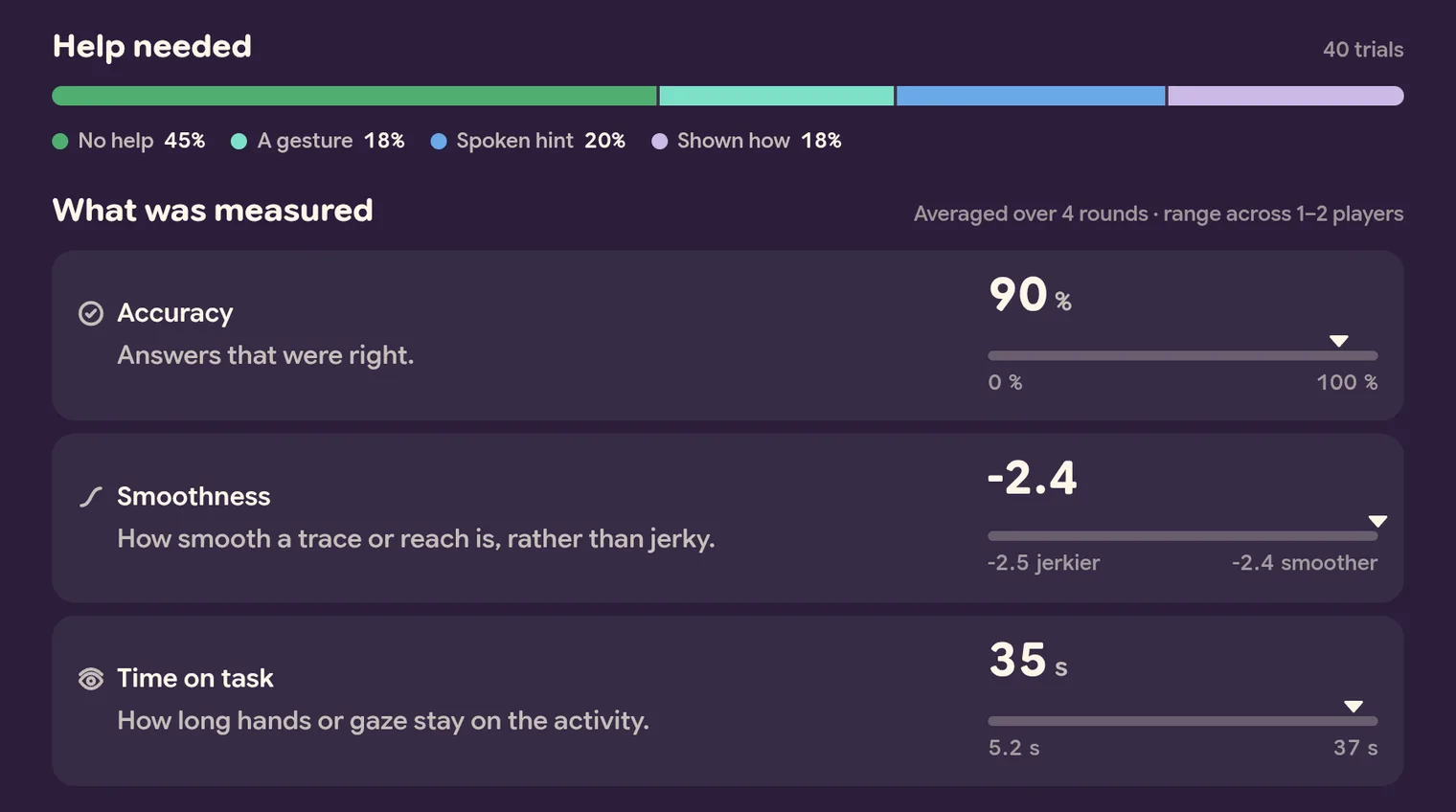
Help needed shows how much help the activity gave on each try: No help, A gesture, Spoken hint, Shown how or Hands-on. The more green, the more your child did on their own.
What was measured lists the numbers this session recorded, such as Accuracy, Smoothness and Time on task. Each one says what it means in one line. To read the bar under a number:
- The small triangle is your child’s number in this session.
- The two ends are the lowest and highest numbers among everyone who has played this activity. When every round was played the same way — with hands in front of the camera, or by touch — the ends come only from players who played it that way too.
- Some bars name their ends, like jerkier and smoother, so you know which way is which.
The bar never names anyone. The line above the numbers says how many players the ends come from. Until someone else has played the activity, it says there is no comparison yet.
To see other sessions, use the arrows at the sides of the card or the arrow keys on a keyboard, or swipe on a phone. If you are looking at the profile that is playing now, Play starts that activity again.
Open a skill
Tap a skill in Skill levels. A card opens in the skill’s colour. The arrows at its sides step to the other skills.
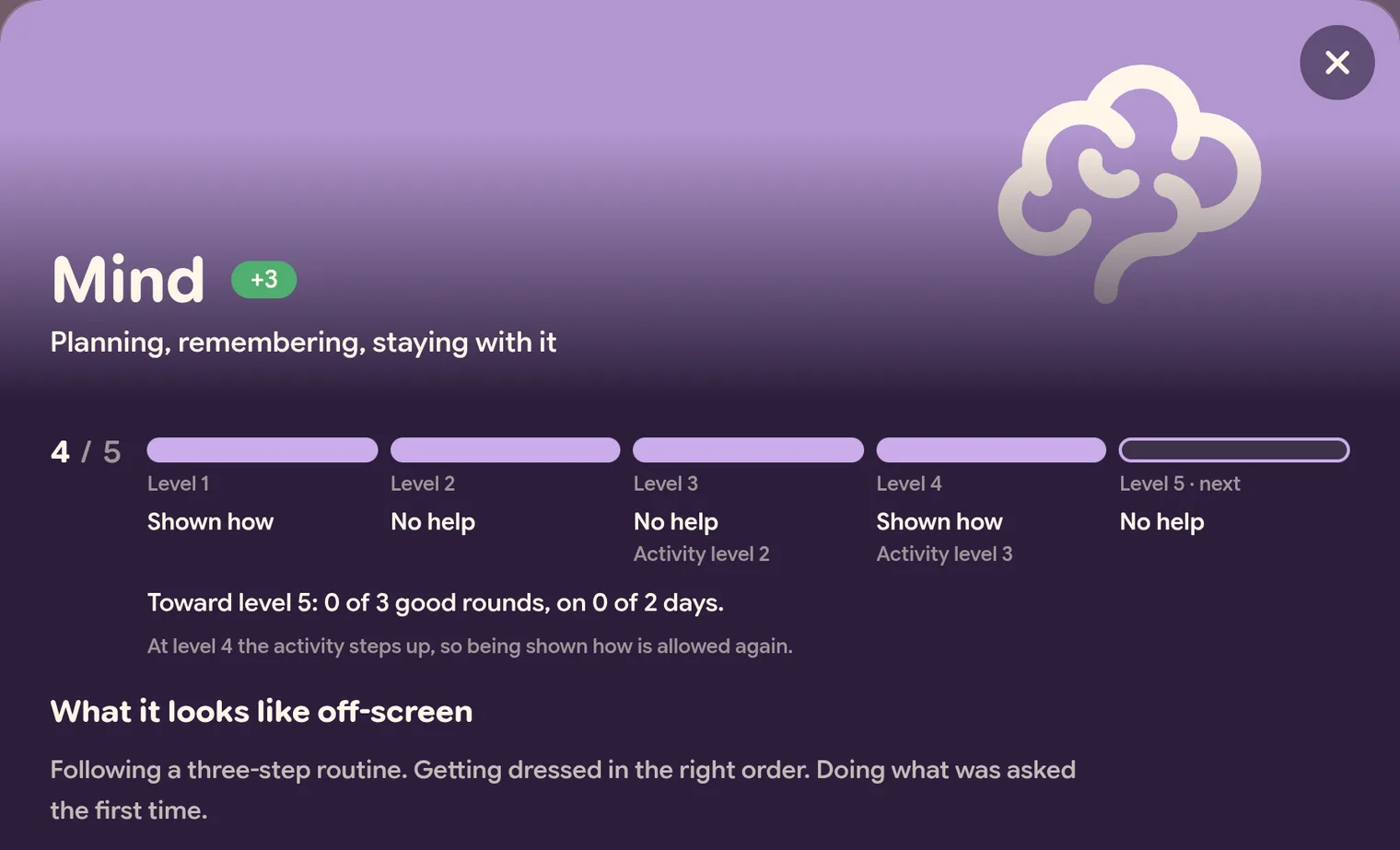
- Under the name: what the skill means, in a few words.
- The five levels. Each level says how much help your child can have and still count, like Shown how or No help. Some levels also name an Activity level: that is where the activity is meant to step up, which is why some help is allowed again there. The line under the levels says so.
- Toward level 5: 0 of 3 good rounds, on 0 of 2 days. How close the next level is. At the top it says Level 5 is the top level.
- What it looks like off-screen: everyday moments where the same skill shows up. Handy for noticing it at home.
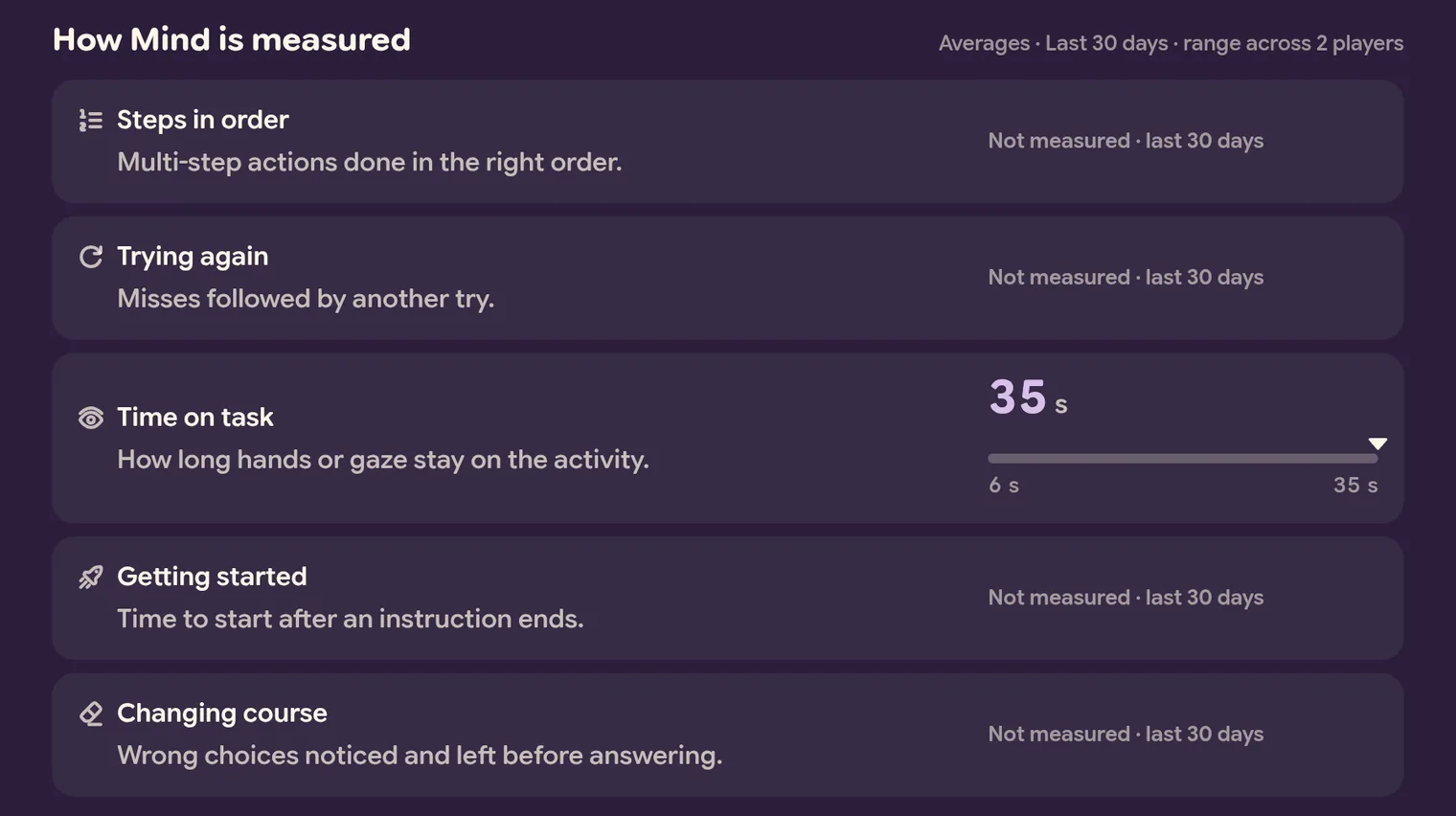
How Mind is measured lists every number that counts toward the skill, averaged over your dates, with the same kind of bar. Not measured means nothing your child played in these dates recorded it. Try a longer date range, or an activity that works on this skill. A skill nothing measures yet says so.
More on the data: for therapists, teachers and instructors
Every skill card ends with More on the data, and so does every session card that recorded rounds. It stays closed until you tap it. It is written for the professionals who work with your child, and it is there for any parent who wants the detail.
To share it, open Progress together, or share your screen on a video call. Pick the child and the dates first, so you are both looking at the same thing.
In a session
It has up to five parts, in this order.
How each round counted. The rule comes first, in one line. Then a table: one row for each round, with its score and the help it needed, and one column for each skill.
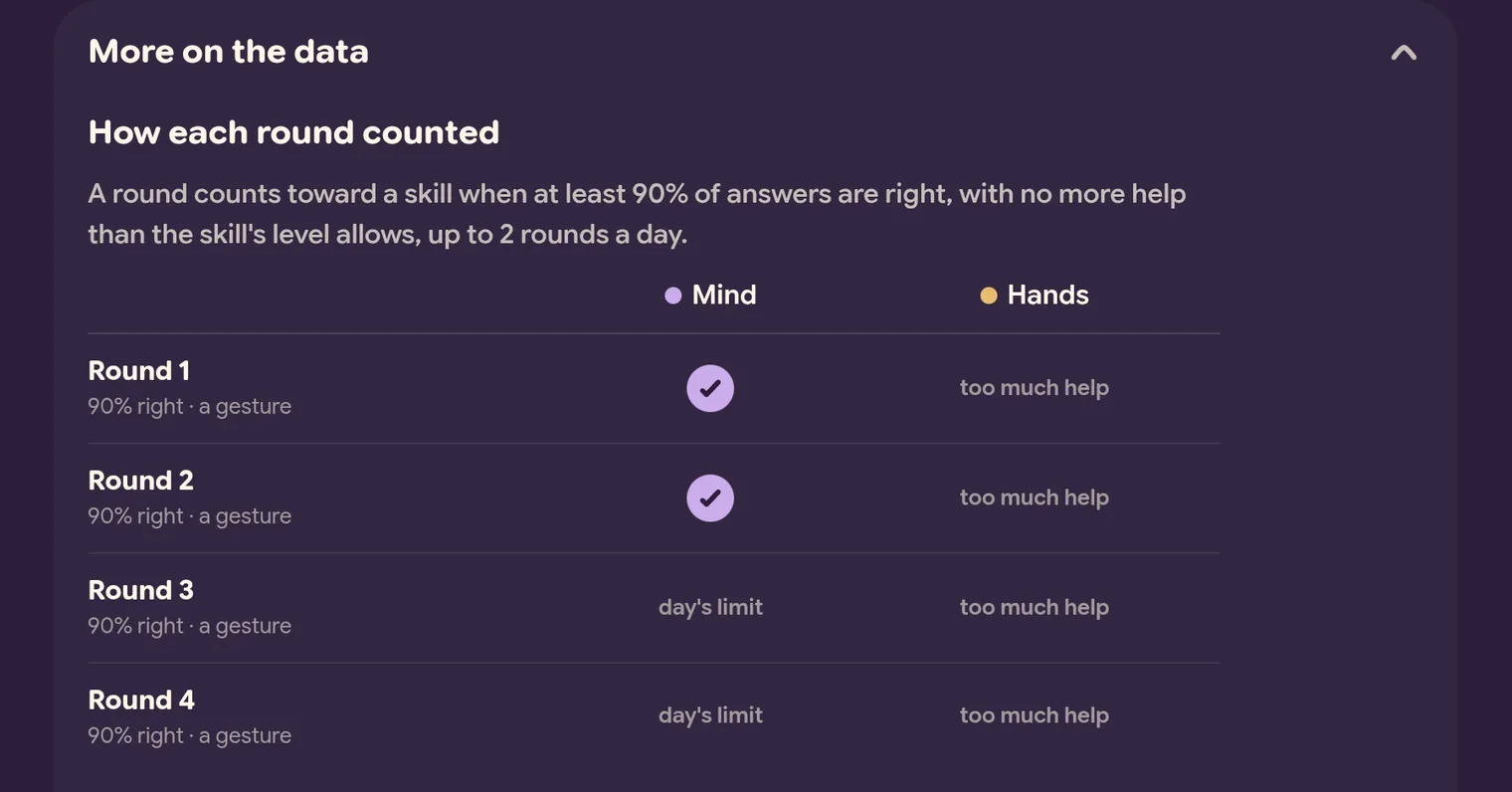
- A tick in the skill’s colour: the round counted toward that skill’s next level.
- A few words: why the round did not count. under 90% means too few answers were right. too much help means it needed more help than the level allows. day’s limit means enough rounds had already counted that day. easier level means it was played at an activity level your child has already passed. couldn’t judge means the round did not record enough to tell.
- A dash: the round measured nothing that feeds that skill.
Toward the next level. Each skill gets two meters in its colour: the good rounds so far, and the different days they came on. A skill that went up says it reached its new level in this session, and a skill the session did not reach says so in one line.
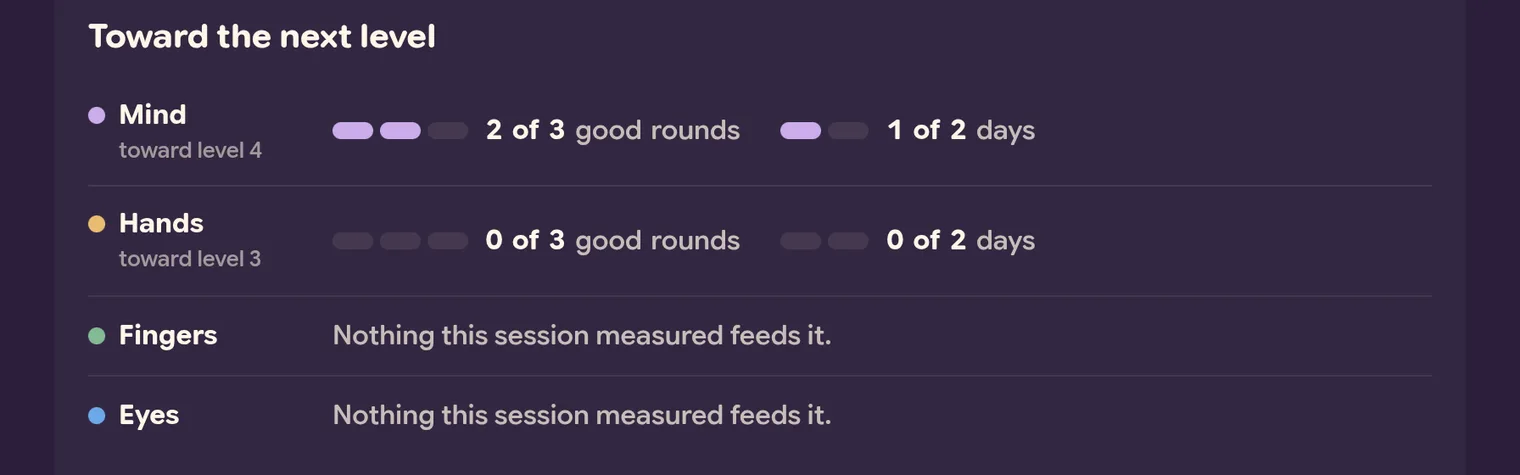
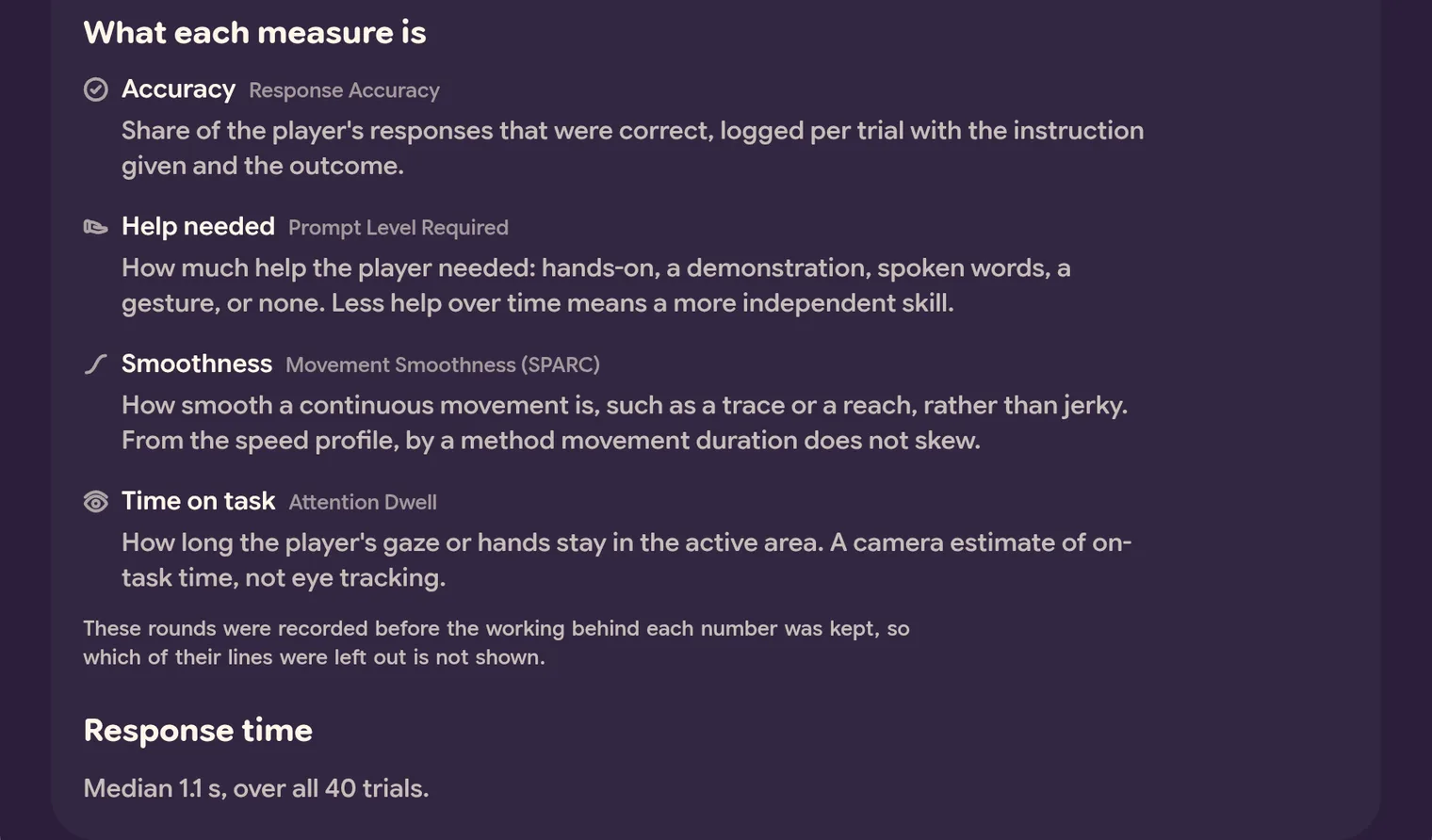
What each measure is. Each measure’s plain name, with the name a professional knows beside it: Accuracy and Response Accuracy, or Time on task and Attention Dwell. Under it: what it measures, and its limits.
Not measured this time. This part shows only when the activity has measures that this session did not record. Where the rounds agree on why, it says so, for example “Only measured in touch rounds.”
Response time. The typical time your child took to respond, over all the tries, when the activity does not already show it under Getting started.
In a skill
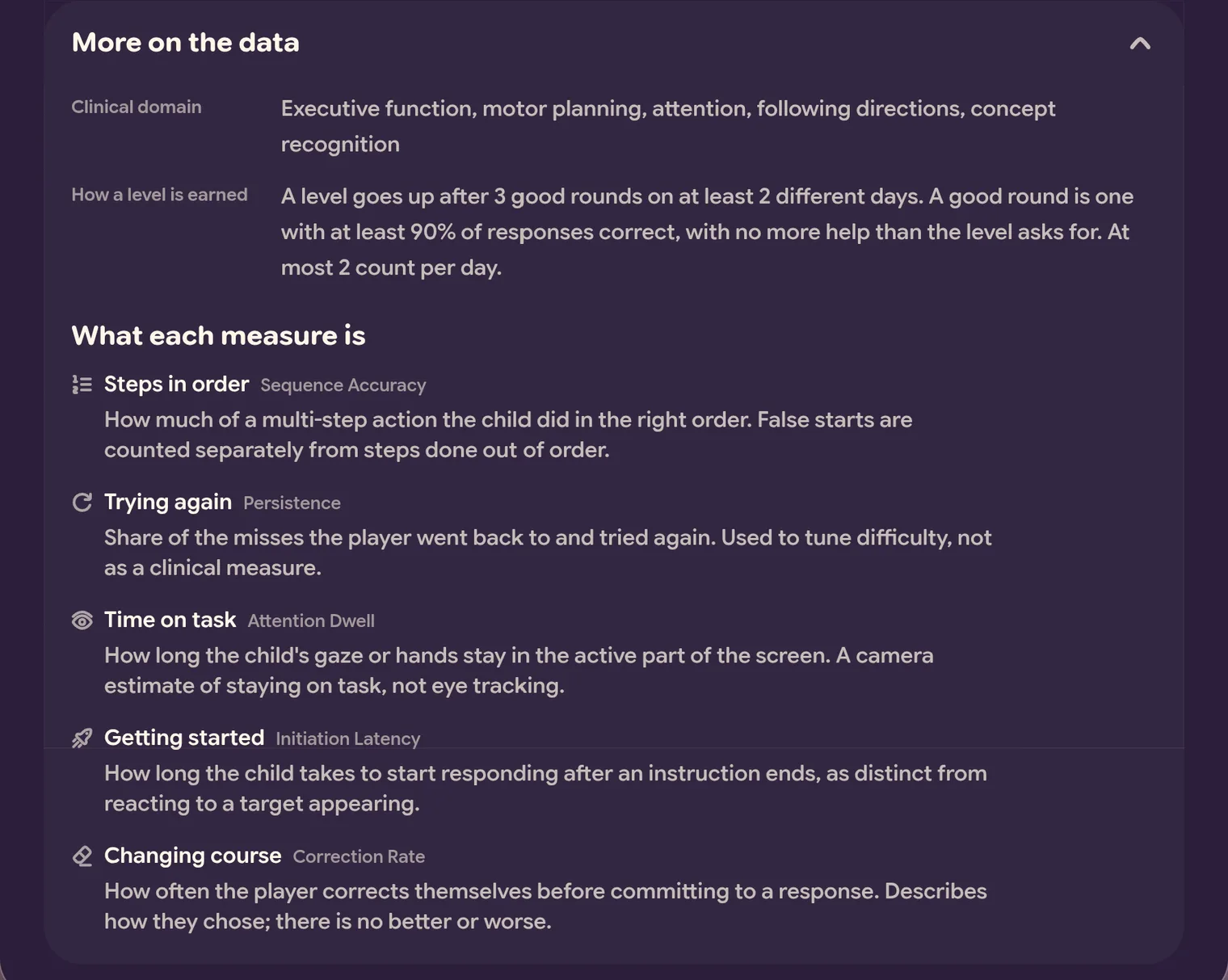
- Clinical domain: the areas of development the skill covers, in professional terms.
- How a level is earned: the exact rule. Today it is 3 good rounds on at least 2 different days. A good round has at least 90% of answers right, with no more help than the level allows, and at most 2 count each day.
- What each measure is: every measure that counts toward the skill. The plain name comes first, with the professional name beside it, then what it means.